Operations & Interment Guide
For cemetery and memorial park operators.
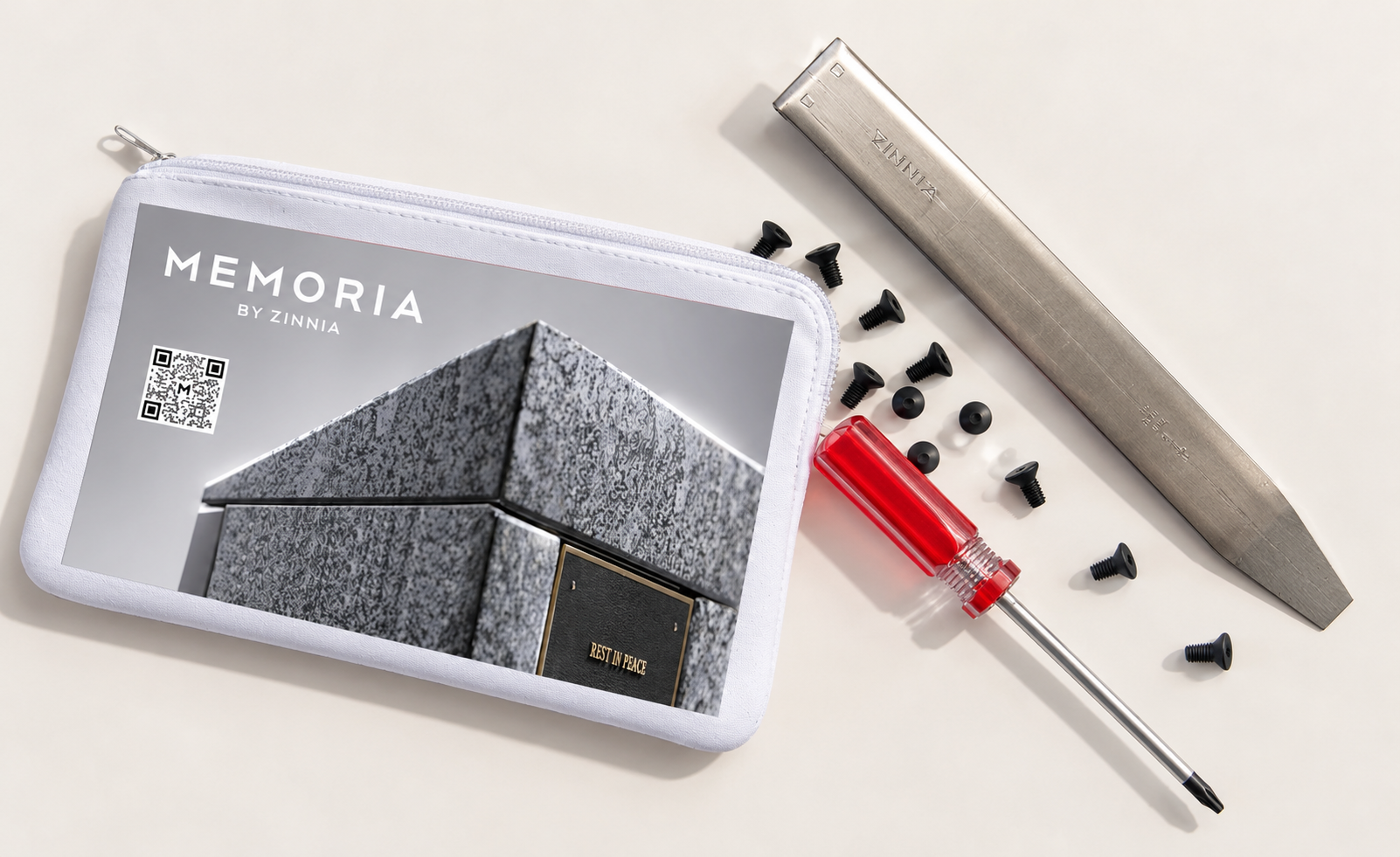
The Memoria memorialisation system has been designed to make the interment, secure storage and, where required, removal of cremated remains simple and repeatable.
These guides provide cemetery personnel with step-by-step instructions for installing and removing Memoria interment vessels, securing memorial plaques, maintaining the system and carrying out routine operational procedures.
Each interment position accommodates a purpose-designed triangular Memoria vessel containing cremated remains. Once inserted, the vessel locks securely within the pillar, and the interment position is completed with a memorial plaque.
Important: All interments, removals and adjustments must be undertaken by authorised cemetery personnel in accordance with the cemetery operator's established procedures.
Interment Guide
-
Before undertaking an interment, ensure:
• the correct Memoria pillar and interment position have been identified
• the cremated remains have been correctly identified inaccordance with the cemetery operator’s procedures
• the supplied triangular Memoria vessel and lid are available
• the correct memorial plaque is available
• the appropriate plaque screws and tools are available
• the interment position is clear and undamaged.
Normal cemetery procedures relating to the identification, handling and recording of cremated remains should be followed at all times.
-
Carefully transfer the cremated remains into the triangular Memoria vessel. Once the cremated remains have been placed within the vessel, fit the supplied lid securely onto the vessel.
Before proceeding, confirm that:
• the correct cremated remains have been placed into the vessel
• the lid is correctly fitted and secure
• the vessel is ready for interment.
-
• Remove the temporary cover plate from the nominated interment position on the Memoria pillar.
• Retain or dispose of the temporary cover plate in accordance with the cemetery operator’s procedures.
• Inspect the opening to ensure that it is clear and ready to receive the vessel.
-
• Orient the triangular Memoria vessel correctly with the interment opening.
• Gently slide the vessel fully into the pillar.
• The vessel will engage with the internal locking mechanism and click into position when correctly inserted.
• Once inserted, test the vessel manually to confirm that it is securely locked in place and cannot be withdrawn.
• Do not install the memorial plaque until the vessel has been checked and confirmed as secure.
-
• If the vessel does not lock securely into position, remove the vessel and inspect the locking mechanism.
• A small metal locking tab is located inside the interment space, at the rear and towards the top of the opening.
• Carefully adjust the metal tab forward as required so that the locking mechanism will engage correctly when the vessel is inserted.
• Reinsert the vessel until it clicks into position.
• Test the vessel again to confirm that it is securely locked.
• Do not force the vessel into position. If the locking mechanism cannot be made to engage correctly through minor adjustment, contact Zinnia for assistance.
-
• Once the vessel has been confirmed as securely locked in position, the memorial plaque can be installed.
• Position the plaque correctly over the interment opening and align the four fixing points.
• Secure the plaque using four appropriate screws.
• Plaques and plaque fixing screws are not supplied by Zinnia unless specifically agreed as part of an Order.
• Where suitable screws have not been supplied by the plaque manufacturer, the required screw specification is:
M4-0.7 x 10mm Flat Torx Head Machine Screw
• Only screws of the specified type, dimensions and material should be used. Alternative fixings should not be used where they may damage the Memoria pillar or interfere with the vessel or locking mechanism.
• Tighten the four screws evenly until the plaque is firmly secured. Do not overtighten.
-
Following completion of the interment, cemetery staff should confirm that:
• the vessel has been correctly inserted
• the vessel has engaged with the locking mechanism
• the vessel is secure
• the plaque corresponds with the correct interment
• all four plaque screws are correctly installed
• the plaque is level, secure and undamaged
• the surrounding Memoria pillar has been left clean and undamaged.
The interment should then be recorded in accordance with the cemetery operator’s normal record-keeping procedures.
Vessel Removal
-
Memoria has been designed to allow an interment vessel to be securely removed when required. This may be necessary for cemetery operational purposes, relocation, family requirements or other authorised circumstances.
Removal should only be undertaken by authorised cemetery personnel using the custom Memoria removal tool supplied by Zinnia.
Zinnia will provide one Memoria removal tool to each cemetery.
The tool should be retained by the cemetery in a secure and readily identifiable location for future authorised use.
-
• Carefully remove the four screws securing the memorial plaque and remove the plaque to expose the interment vessel.
• Retain the plaque and screws safely if they are to be reused.
-
• A small gap is located immediately above the Memoria vessel.
• Insert the custom Memoria removal tool through this gap.
• Push the tool inward so that it engages with and pushes back the small metal locking bar located at the top of the interment space.
• This releases the locking mechanism that normally prevents the vessel from being withdrawn.
-
While holding the locking mechanism in the released position, carefully pull the vessel forward.
• Once it has disengaged from the locking mechanism, the vessel can be withdrawn completely from the pillar.
• Handle the vessel carefully and in accordance with the cemetery operator’s procedures for handling cremated remains.
• Do not force the vessel. If it does not release easily, check that the removal tool has fully disengaged the locking mechanism before attempting removal again.
-
• The locking mechanism must be reset after a vessel has been removed and before a vessel is reinserted.
• Following removal, the small metal locking mechanism at the top of the interment space will remain in its released position.
• Reach into the interment opening and gently pull the metal locking mechanism forward manually to return it to its normal locking position.
• This is a simple manual adjustment and requires no specialist equipment.
• Visually check that the locking mechanism has returned to its correct position before inserting or reinserting a vessel.
Cleaning and routine care
Memoria is designed as long-term outdoor memorial infrastructure and requires relatively limited ongoing maintenance. The pillar should nevertheless be periodically inspected as part of the cemetery’s normal maintenance program.
When cleaning:
• use clean water and a soft cloth or non-abrasive cleaning equipment
• use only mild cleaning products where required
• avoid abrasive pads, wire brushes or tools that may scratch surfaces
• avoid harsh chemicals, acids or highly alkaline cleaning products
• do not use cleaning methods that may damage plaques, fixings, stone or stainless-steel components.
Any signs of movement, damage, vandalism or interference should be investigated promptly.